

Importing properties via XML is a major advantage for a real estate agency.
It allows you to expand your property portfolio, work with collaborators, connect external platforms and display more properties on your website without having to enter each property manually.
But when the data does not arrive properly organised, problems can start to appear.
One of the most common is seeing duplicate cities, coastal areas, locations or property types after an import.
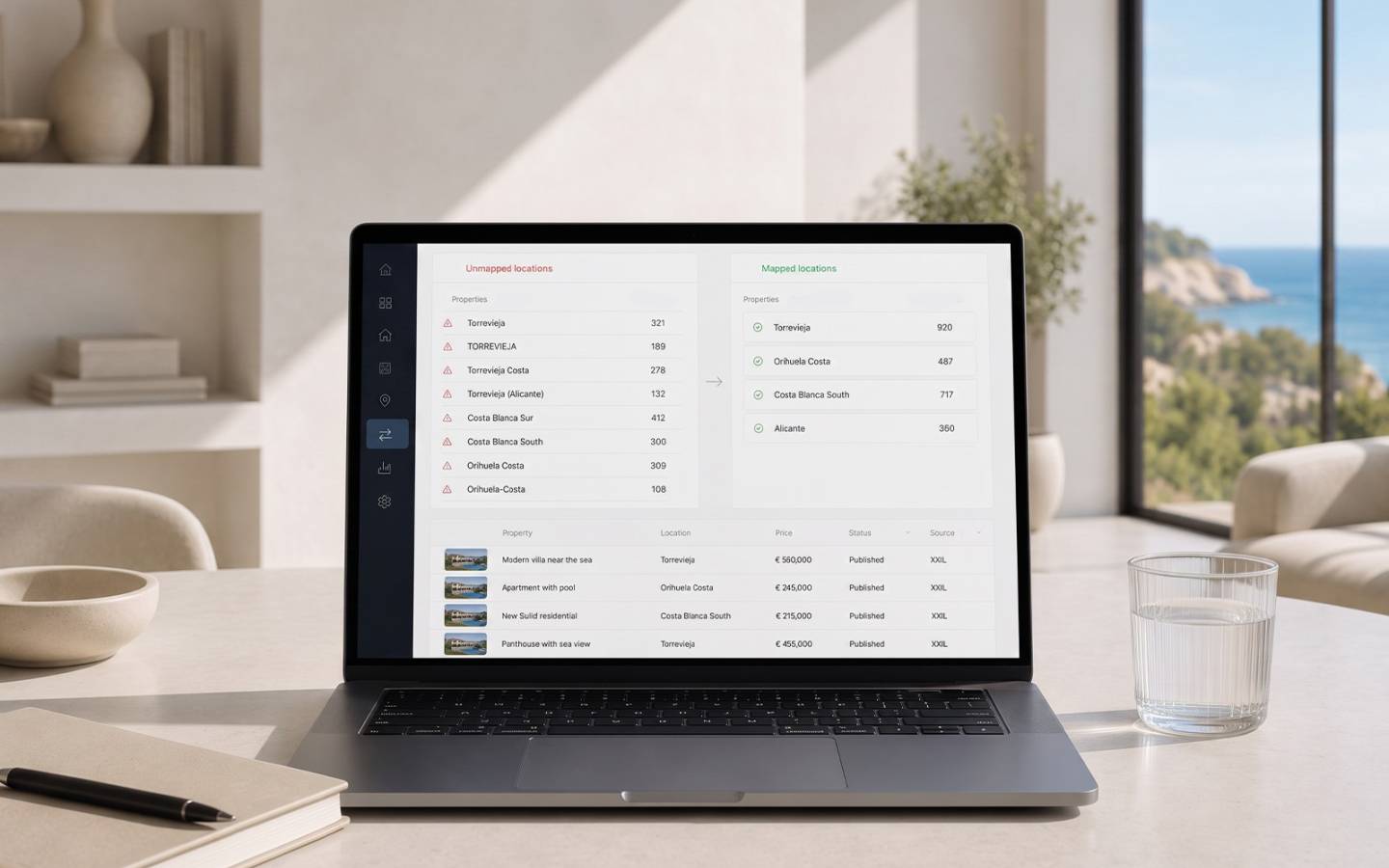
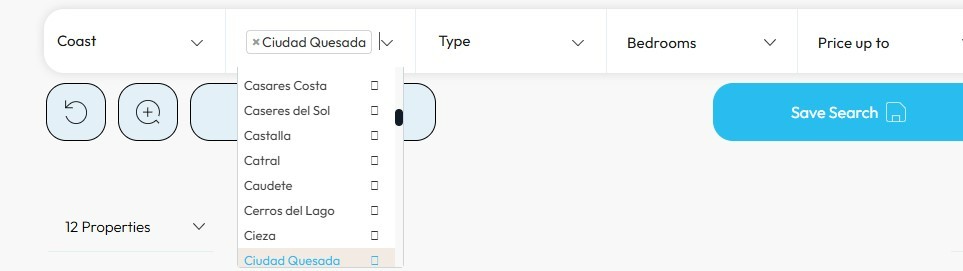
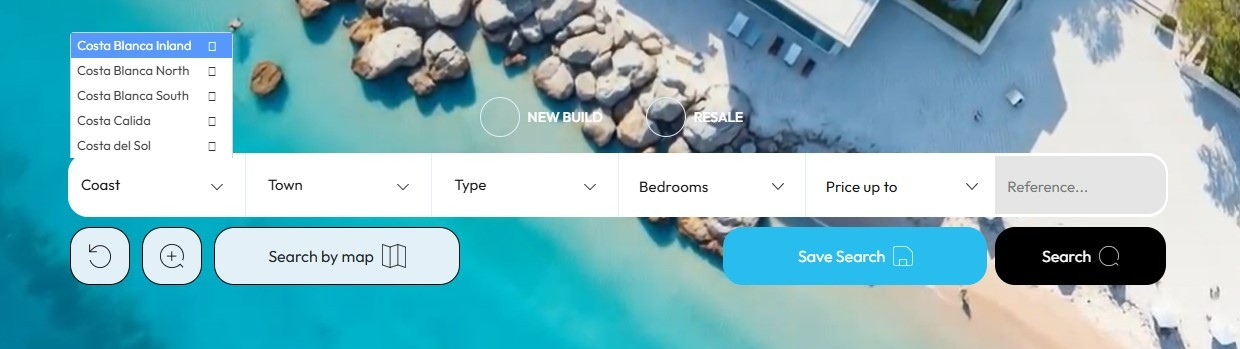
Suddenly, your website's search tool may show duplicate or very similar options:
- Torrevieja
- torrevieja
- Torrevieja city
- Costa Blanca South
- South Costa Blanca
- Orihuela Costa
- Orihuela-Costa
To the user, this may seem like a minor detail, but it is not. A search tool containing duplicate information gives an impression of disorder, makes navigation more difficult and can prevent clients from finding the properties they are looking for easily.
The good news is that this problem can be solved with XML mapping.

Why do duplicate areas appear when importing properties?
When an agency imports an XML feed from a collaborator, an MLS or an external provider, the information does not always arrive with the same structure as the one used by the website.
Each provider may use different names for cities, areas, coastal regions, property types or availability statuses.
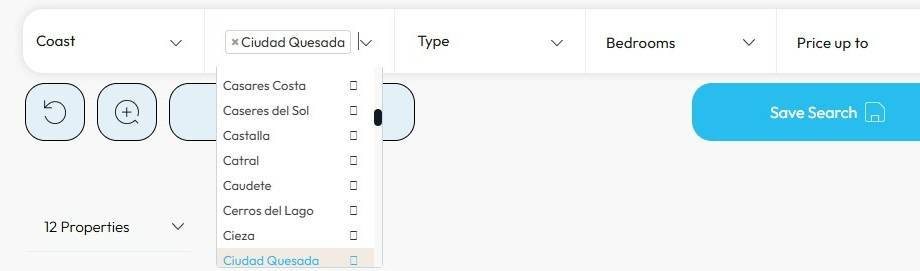
For example, the same area may be written in several different ways. One provider may send “Ciudad Quesada”, another “Quesada” and another “Urb. Ciudad Quesada”. To a person, it is clear that they are referring to the same area. But for the system, unless it is instructed otherwise, these can be treated as three different locations.
This does not necessarily mean that the XML is incorrect. It simply means that each source uses its own way of organising information.
The problem occurs when all this data enters the website without being reviewed, standardised and adapted to the agency's actual structure.
What can happen when XML is not mapped?
When imported information is not properly reviewed, secondary effects can appear that affect both internal management and the user experience on the website.
An incorrectly mapped XML feed can lead to:
- duplicate cities in the search tool
- duplicate coastal areas or locations with different names
- incorrectly classified property types
- properties appearing in the wrong locations
- unclear filters for users
- properties that are difficult to find
- a less organised-looking website
- more manual work for your team
If a user visits your website and finds duplicate areas, confusing filters or unclear categories, the search process becomes more difficult. And when finding a property becomes complicated, the chances of the user leaving the website increase.
XML mapping: the solution for organising your information
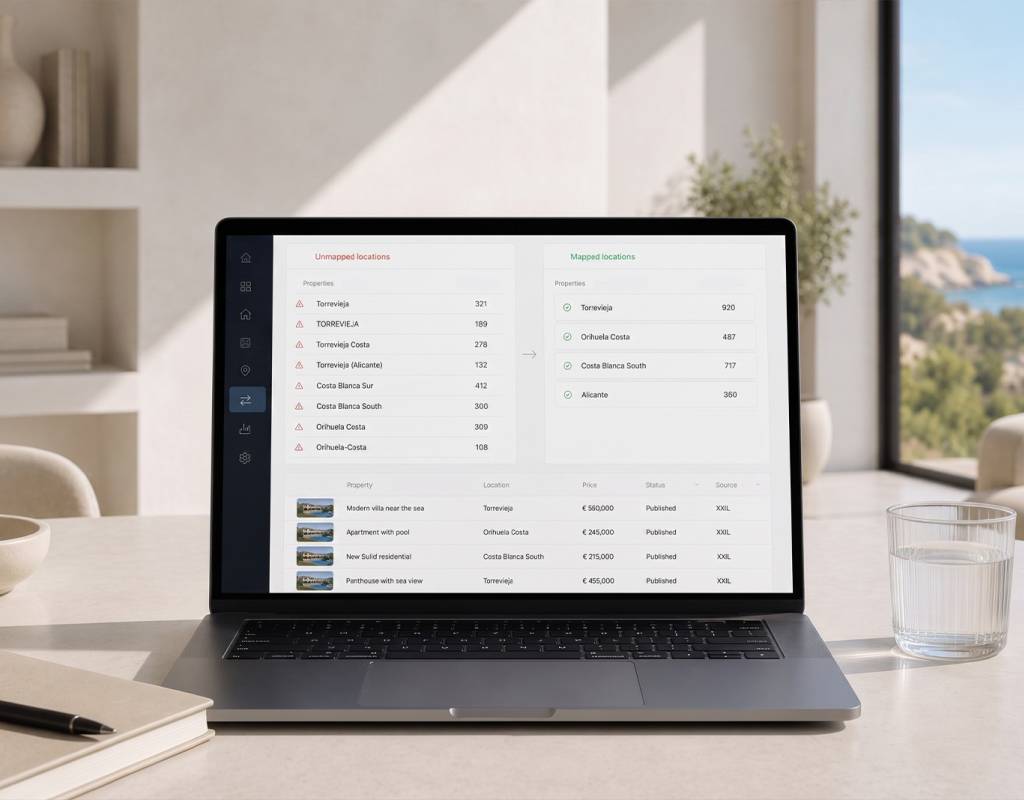
XML mapping allows you to standardise information received from external sources and make it fit the structure of your website and CRM.
Put simply, it allows you to tell the system that several different names should be displayed as a single option.
For example:
- “Quesada”, “Ciudad Quesada” and “Urb. Ciudad Quesada” can be combined under “Ciudad Quesada”.
- “Detached villa”, “Villa” and “Chalet” can be linked to the same property type.
- Different ways of naming a coastal area or location can be organised under a single category.
This means that even if the XML comes from an external provider with its own structure, your website can continue to display clear, consistent and useful information for the user. The aim is to adapt this data to your agency's structure.
Mediaelx CRM allows you to map and standardise your XML data
At Mediaelx, we understand that real estate agencies working with XML need flexibility and control.
That is why our system allows you to create mappings to standardise cities, coastal areas, locations, property types and other data received from external sources.
This helps correct the small discrepancies that can appear after importing properties from collaborators, MLS systems or external platforms.
If you notice that an area is appearing more than once, that a property type does not match your structure or that a location is displayed incorrectly, the system allows you to adjust the relationship so that the information is organised correctly.
Alerts to detect issues with your XML feeds
Another important advantage is that the system can help you detect issues.
If there are problems related to an import, you can receive notifications letting you know that something needs to be reviewed. And if an XML feed fails, you can also receive an alert.
This is particularly useful when you work with several external sources, as it is not always easy to manually check whether all imports are working correctly.
A timely alert can help you identify errors before they affect the property portfolio displayed on your website.
The aim is to give your agency greater control, more information and fewer surprises.
You can manage it yourself or leave it to the Mediaelx XML Care & Support service
The Mediaelx system allows the agency itself to manage its mappings and review imported information.
However, we also know that many estate agencies do not have the time to review XML feeds, identify duplicates, check compatibility or adjust technical data.
That is why we created Mediaelx XML Care & Support, a service designed for estate agencies working with XML imports that want to take the technical hassle out of the process.
With this service, our team can help you review issues, analyse compatibility, adjust mappings, identify duplicate areas and answer questions related to external property feeds.
It is a more convenient way to work with XML without allowing technical management to become an additional burden for your team.
You can continue to take advantage of importing properties, while Mediaelx helps you keep your property portfolio cleaner, more organised and under control.
Image gallery